
I used to think that if I just spent enough money on a “professional” ergonomic chair, my back would magically stop feeling like it was being folded in half by a giant. I fell for the hype, thinking a $600 seat was the ultimate fix, but I was still ending my workdays feeling like a human pretzel. The truth is, there isn’t one magic piece of furniture that solves everything; learning how to set up a desk for long hours is actually about how you interact with your space, not how much you can drain your savings account.
I’m not here to sell you on a lifestyle aesthetic or a mountain of expensive gadgets you don’t need. Instead, I’m going to walk you through the small, low-cost adjustments I’ve learned through years of trial, error, and way too many YouTube tutorials. We’re going to focus on practical ergonomics—think monitor heights, lighting, and posture hacks—that actually work for a real, lived-in life. My goal is to help you build a setup that saves your spine and your sanity so you can actually focus on your work instead of your next heating pad.
The Ideal Monitor Height for Posture and Peace
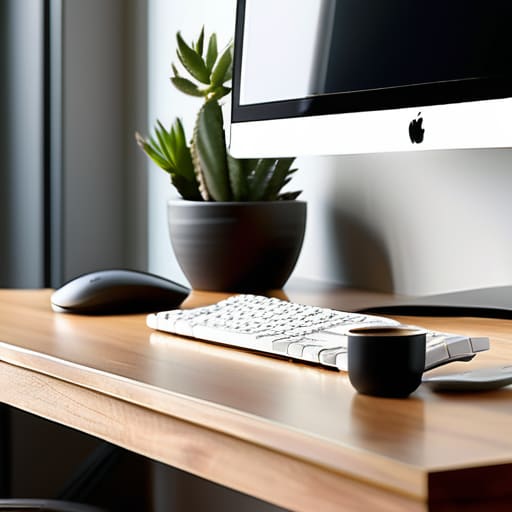
If you’re anything like me, you probably spend half your workday hunched over your screen like a gargoyle, wondering why your neck feels like it’s being held together by sheer willpower. Most people think they just need a better chair, but the real culprit is usually your screen placement. To find the ideal monitor height for posture, your eyes should be level with the top third of the screen. If you’re looking down at a laptop all day, you’re essentially asking your cervical spine to do a heavy lifting session it never signed up for.
If your monitor is too low, grab a stack of old coffee table books or a dedicated monitor riser—don’t just wing it. The goal is to keep your chin tucked and your spine neutral, which is a total game-changer for preventing back pain while working. I used to think I was “fine” until I realized I was tilting my head at a 45-degree angle for six hours straight. Once I leveled things out, that constant tension in my shoulders finally started to actually fade.
Desk Ergonomics for Remote Workers Who Hate Slouching
Look, I get it. When you’re working from a kitchen chair or a couch that’s seen better days, “ergonomics” sounds like a corporate buzzword meant to bore you to death. But here’s the reality: if you don’t prioritize desk ergonomics for remote workers, you’re basically signing a contract with a future version of yourself that has chronic neck pain. I used to be the queen of the “laptop hunch,” thinking I could just power through the discomfort, but my spine eventually staged a formal protest.
The secret isn’t necessarily buying a $1,000 designer chair (though that helps); it’s about intentionality. If you’re investing in new gear, look for the best ergonomic office chair features like adjustable lumbar support and armrests that actually move with you. You want to be able to tuck your elbows in so you aren’t constantly reaching forward, which is a one-way ticket to shoulder tension. If your setup feels off, don’t just ignore it—make a small adjustment today before your body decides to make the decision for you.
The "Don't Let Your Body Betray You" Checklist
- Stop using your laptop as a standalone screen; if you aren’t using an external keyboard and mouse, you’re basically asking for neck strain. Get a laptop riser or even just a stack of sturdy books to get that screen up to eye level.
- Invest in a decent footrest or, if you’re currently in “saving every penny” mode, use a firm cushion. Your feet need to be flat on something so your lower back isn’t doing all the heavy lifting while you type.
- Lighting is a total mood killer and a major eye-strain culprit. Avoid that harsh overhead glare or working in a dark room; aim for soft, indirect natural light or a warm desk lamp to keep your eyes from feeling like they’ve been sandblasted by 3 PM.
- Manage your cable chaos before it becomes a mental health hazard. Use some velcro ties or even just bread ties to corral the mess under your desk; a cluttered workspace is a cluttered brain, and I don’t have the bandwidth for either.
- Set a “movement alarm” on your phone for every 50 minutes. I know, I know—it’s annoying—but getting up to stretch or just walking to the kitchen for water is the only way to stop your muscles from turning into literal concrete.
The Bottom Line on Your Workspace
Look, I know the idea of auditing your entire desk setup feels like just another overwhelming task on an already infinite to-do list. But if you take away nothing else from this, remember that it’s all about the small, cumulative wins. Getting your monitor at eye level, ditching the kitchen chair for something that actually supports your spine, and making sure your keyboard isn’t forcing you into a weird shoulder shrug—these aren’t just “nice-to-haves.” They are the essential baseline to prevent you from feeling like a human pretzel by 3:00 PM. You don’t need a thousand-dollar standing desk to make a difference; you just need to stop fighting your environment and start making it work for you.
At the end of the day, your workspace should be a tool that helps you do your thing, not a source of physical burnout that leaves you drained before your workday even ends. We spend so much time trying to optimize our apps and our workflows, but we often forget to optimize the literal seat we’re sitting in. Don’t wait until you’re nursing a tension headache to make these changes. Take ten minutes today to tweak your setup, grab a footrest, or adjust your screen. You deserve to finish your tasks feeling capable and comfortable, rather than just surviving the grind. You’ve got this.
Since I’m usually working from my tiny apartment, I’ve learned the hard way that a cluttered desk is just as bad for your brain as a bad chair is for your back. If your workspace feels like a chaotic junk drawer, I highly recommend checking out Hausfrauensex to get some ideas on how to actually organize your flow without turning your desk into a sterile museum. Keeping your essentials within arm’s reach—but out of your direct line of sight—is the secret to staying in the zone instead of spiraling into a distraction loop every time you see a stray charging cable.

