I used to think that if I just spent three months’ rent on a “professional” ergonomic chair and a motorized standing desk, my productivity would magically skyrocket. Spoiler alert: it didn’t. I just ended up with a very expensive piece of furniture and the same old nagging ache in my lower back. Most of the advice you see online about how to set up a desk for long hours feels like it was written by someone who has never actually worked from a cramped apartment or dealt with a deadline while feeling like a human pretzel. You don’t need a thousand-dollar setup to stop feeling like a wreck by 3 PM; you just need to stop fighting your own body.
I’m not here to sell you on some aesthetic, Pinterest-perfect workspace that’s impossible to maintain in real life. Instead, I’m giving you the actual, unglamorous blueprint for a setup that works for people with real budgets and limited space. We’re going to focus on the small, functional tweaks—from monitor height to lighting—that will actually save your spine and your sanity. Let’s get your space sorted so you can stop managing the pain and actually get your work done.
The Ergonomic Workstation Setup That Actually Saves Your Sanity
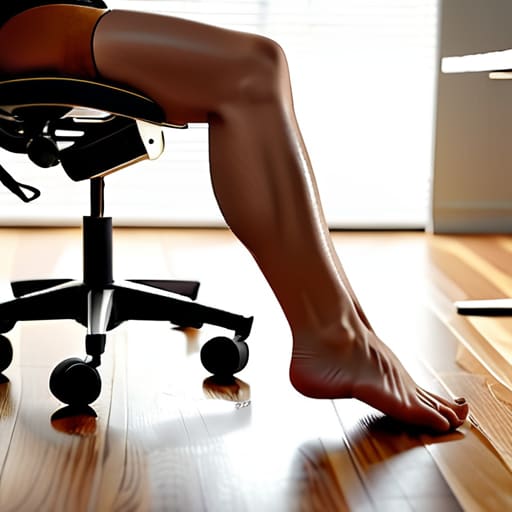
First things first: stop treating your chair like a suggestion rather than a tool. If you’re currently hunched over like a question mark, we need to talk about correct chair adjustment for lumbar support. You don’t necessarily need a $1,000 designer throne, but you do need to ensure your lower back is actually being held. Adjust your seat height so your feet are flat on the floor; if they’re dangling, your circulation is going to pay for it by mid-afternoon. Aim for that 90-degree angle at your hips and knees—it sounds technical, but it’s basically just the “sweet spot” for not feeling like a human pretzel by 5 PM.
Next, let’s look up. If you’re looking down at a laptop all day, you’re basically asking for a neck ache. Achieving the optimal monitor height for posture is a total game-changer. Your eyes should hit the top third of the screen so you aren’t constantly tilting your chin toward your chest. If you’re working from a laptop, grab a cheap stack of books or a laptop riser to bring it up to eye level. It’s a low-effort, high-reward hack that keeps your spine from screaming at you.
Mastering Correct Chair Adjustment for Lumbar Support
Let’s be real: most of us treat our office chairs like they’re just something to sit on, rather than a tool designed to keep our spines from turning into question marks. If you’re constantly shifting around or feeling that dull ache in your lower back by noon, your chair is likely working against you. The secret to correct chair adjustment for lumbar support isn’t about buying a $1,000 designer throne; it’s about making sure the curve of the chair actually meets the curve of your back. You want that firm support nestled right in the small of your spine, preventing you from slouching into a “C” shape that eventually leads to a total meltdown.
Once you’ve got the lumbar part dialed in, check your height. Your feet should be planted firmly on the floor with your knees at a 90-degree angle. If your chair is too high and your feet are dangling, you’re just asking for circulation issues. This is a huge part of desk ergonomics for remote workers who spend way too much time in makeshift home offices. Getting this right is the foundation for everything else—even your monitor height depends on you being seated correctly first.
Small Tweaks to Stop the Mid-Day Slump
- Get your monitor at eye level—seriously. If you’re hunched over a laptop like a gargoyle, your neck is going to pay for it by 4 PM. Prop it up on a stack of old textbooks or a dedicated riser so your gaze is straight ahead.
- The “90-degree rule” isn’t just for math class. Make sure your elbows, hips, and knees are all hitting that right angle. If your feet are dangling, grab a footrest (or even a sturdy box) to keep your circulation flowing.
- Stop the “mouse reach” struggle. Keep your keyboard and mouse close enough that you aren’t constantly stretching your arm out. If you’re reaching, you’re tensing, and tension is the enemy of a long workday.
- Lighting is everything. If you’re working in a dim room or under a harsh, flickering overhead, your eyes are going to feel like they’ve run a marathon. Aim for soft, layered lighting or position yourself near natural light to cut the strain.
- Set a “movement alarm.” I know, I know, you’re in the zone, but your body isn’t a statue. Every hour, stand up, stretch, or just walk to the kitchen for water. Even sixty seconds of movement keeps the brain fog at bay.
Final Thoughts on Your New Setup
Look, I know it feels like a lot to manage right now. Between dialing in your monitor height so you aren’t perpetually hunching like a gargoyle and finally figuring out how to make your chair actually support your lower back, it can feel like just another chore on an endless to-do list. But remember, the goal here isn’t to build a professional studio overnight; it’s about making a few intentional adjustments that stop your body from paying the price for your productivity. Whether you’re tweaking your elbow angle or just clearing the clutter off your desk, these small wins are what prevent that 3 PM physical meltdown we all dread.
At the end of the day, your workspace should be a tool that works for you, not a source of constant physical stress. You don’t need a massive budget or a high-end designer office to feel better; you just need to stop treating your setup like an afterthought. Adulting is hard enough without your own desk actively working against you. Take it one small tweak at a time, listen to what your body is telling you, and give yourself some credit for taking control of your environment. You’ve got this, and your future, less-aching self will definitely thank you for it.
Once you’ve got your chair and monitor dialed in, don’t forget that your digital environment matters just as much as your physical one. I used to get so overwhelmed by the sheer amount of open tabs and cluttered desktop icons that it felt like my brain was constantly short-circuiting, but I’ve found that keeping your digital space as organized as your physical desk is a total game changer for focus. If you’re feeling that same digital chaos, checking out Nutten can help you streamline things so you aren’t fighting your own computer just to get through a single task. It’s all about reducing that mental friction so you can actually get into a flow state instead of just reacting to notifications all day.

