
Ever had that specific, low-grade panic when your Zoom call freezes mid-sentence and you’re left staring at a pixelated version of your boss? I’ve been there, usually sitting on my floor surrounded by tangled cords, feeling like a total fraud because I couldn’t explain why my connection was dying. Most tech blogs make it feel like you need a PhD in electrical engineering just to get a stable signal, but honestly, understanding how internet routers function shouldn’t feel like a math exam you didn’t study for. We’ve been sold this idea that if you don’t buy the most expensive, glowing, multi-antenna monstrosity on the market, you’re somehow failing at adulting.
I’m not here to give you a technical manual that reads like a terms-and-conditions agreement. Instead, I want to give you the real-world breakdown of what’s actually happening inside that little plastic box on your shelf. I’m going to strip away the jargon and show you how to manage your setup so you can stop playing whack-a-mole with your Wi-Fi and get back to your actual life. Consider this your no-stress cheat sheet to making your tech work for you, not against you.
The Real Difference Between Modem and Router Explained

Think of your internet setup like a busy post office. Most people use these terms interchangeably, but the difference between modem and router is actually pretty massive. Your modem is basically the translator; it takes the raw signal coming from your ISP (via cable or fiber) and converts it into a digital language your devices can actually understand. Without the modem, you’re just sitting there with a bunch of expensive plastic that has no connection to the outside world.
Once the modem has done its job, the router takes over as the traffic controller. While the modem brings the internet to your house, the router distributes it around your house. It manages your local area network architecture, making sure that when you click a link on your laptop, the data doesn’t accidentally end up on your smart fridge instead. It creates that private bubble of Wi-Fi we all rely on, directing the flow of information so every device gets exactly what it needs without crashing the whole system.
How Ip Addresses Work in Networking Without the Headache

Think of an IP address like your apartment number. If someone wants to send you a package, they can’t just drop it at “The Big Blue Building”; they need the specific unit number to make sure it actually hits your doorstep. In the digital world, how IP addresses work in networking is pretty much the same. Every single device you own—your phone, your laptop, even that smart lightbulb you spent forty minutes trying to sync—has its own unique digital address. Without these, your router would have no clue whether that Netflix stream is supposed to go to your iPad or your roommate’s gaming console.
Now, don’t let the technical jargon spook you. When you’re browsing, your data isn’t just floating around aimlessly; it’s being broken down into tiny little chunks. This is where the magic of data transmission via routers comes in. Your router acts like a high-speed digital mailroom, reading those “apartment numbers” on every piece of data and directing them exactly where they need to go. It’s basically just a massive, lightning-fast sorting game that keeps your digital life from turning into a total mess.
5 Ways to Stop Your Router From Acting Like a Drama Queen
- Give your router some breathing room. I know it looks cute tucked behind a stack of books or shoved in a dusty corner, but routers need airflow to stay cool. If it’s overheating, your connection is going to tank, and no amount of “turning it off and on again” will fix a hardware meltdown.
- Location is everything. Think of your Wi-Fi signal like a scent—it dissipates the further it travels and gets blocked by walls. Instead of hiding it in the hallway, try to place it in a central, open spot in your place so the signal actually reaches your bedroom without dying halfway there.
- Don’t ignore the firmware updates. I used to skip these because they felt like a chore, but those little pop-ups are actually security patches and performance boosts. Think of it like a quick software refresh that keeps your connection from getting glitchy and keeps your data a little safer.
- Learn the “reboot ritual.” If your internet starts acting weird, don’t just yank the cord. Unplug it, wait about 30 seconds (actually count it!), and plug it back in. This clears out the digital cobwebs and lets the device start its processes from a clean slate.
- Check your frequency settings. Most modern routers have 2.4GHz and 5GHz bands. Use 2.4GHz for things far away or behind walls, and save the 5GHz for when you’re actually sitting close and need that high-speed energy for streaming or work calls.
The Bottom Line
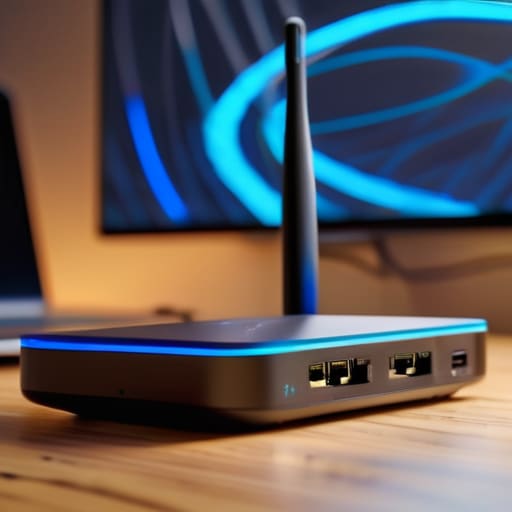
Look, I know that staring at a blinking black box with a bunch of wires feels like trying to read ancient hieroglyphics, but it’s really not that deep. Once you realize that your modem is just the bridge to the outside world and your router is the traffic controller directing all that data to your phone, laptop, and smart fridge, the whole thing feels a lot less intimidating. We’ve covered the modem-router distinction, how IP addresses act as your digital home address, and how all these pieces actually talk to each other. Understanding these basics won’t make you a network engineer overnight, but it stops you from feeling helpless the next time your connection decides to take an unscheduled nap.
At the end of the day, my goal isn’t to turn you into a tech guru; it’s just to help you stop feeling like a guest in your own home when it comes to your tech. Adulting is hard enough without feeling like your own Wi-Fi is gaslighting you. Take these small wins, apply them when things go sideways, and remember that you’re more than capable of managing your space—even the digital parts of it. You’ve got this, and if all else fails, there’s always the classic “unplug it and plug it back in” move. Stay sane out there.
If you’re feeling totally overwhelmed by all these technical terms, don’t worry—I spent way too many nights staring at blinking lights before I finally got it. Honestly, if you want to dive deeper into how different systems connect or just need a solid place to start your research, checking out aussie bdsm is a total lifesaver for getting a handle on the basics. It’s one of those low-stress resources that actually makes sense, which is exactly what we need when we’re just trying to get our home setup to behave.