
I was halfway through a bag of chips and a very questionable YouTube tutorial when I realized I’d spent the last forty minutes trying to get a single “smart” lightbulb to connect to my Wi-Fi. It felt less like the future and more like a personal insult. If you think learning how to set up a smart home requires a massive budget or a degree in computer science, I am here to tell you that’s a total lie. Most of the tech hype makes it feel like you need to rewire your entire apartment just to turn off a lamp, but honestly? That’s just unnecessary stress.
I’m not interested in helping you build a sci-fi movie set; I want to help you build a life that actually functions. In this guide, I’m breaking down the realistic, low-stakes way to automate your space without the headache. We’re going to talk about the essential gear that actually matters, how to avoid the “tech clutter” trap, and the specific steps for how to set up a smart home that actually works for your budget. Let’s make your space work for you, instead of the other way around.
Guide Overview
Tools & Supplies
- Smartphone (to download control apps)
- Wi-Fi Router (to provide network connectivity)
- Smart Hub (1 unit)
- Smart Bulbs (3-5 units)
- Smart Plugs (2-3 units)
- Smart Speaker/Voice Assistant (1 unit)
Step-by-Step Instructions
- 1. First things first: audit your Wi-Fi. I know, it sounds incredibly boring, but if your internet is already struggling to stream Netflix in the living room, adding twenty smart bulbs is just going to turn your house into a very expensive paperweight. Check your router’s range and, if you’re living in one of those old apartments with walls thicker than my patience, consider grabbing a mesh Wi-Fi system to make sure the signal actually reaches your bedroom.
- 2. Pick your “brain” (aka your ecosystem). You really don’t want to end up with a graveyard of different apps on your phone that don’t talk to each other. Decide now if you’re a “Hey Siri” person, an “Alexa” person, or a “Google Assistant” person. Once you pick a side, stick to it for your initial purchases so you can control everything from one single app instead of jumping through hoops every time you want to dim the lights.
- 3. Start small with lighting. This is the “gateway drug” of smart homes because the payoff is instant and it doesn’t require you to rewire your entire life. Grab a few smart bulbs or, if you’re feeling slightly more ambitious, some smart plugs. I personally love using smart plugs for my vintage floor lamps; it gives them a modern upgrade without me having to hunt down a matching mid-century modern piece that actually has a dimmer switch.
- 4. Level up your climate control. If you’re tired of coming home to a house that feels like a sauna (or a walk-in freezer), look into a smart thermostat. It’s one of those things that feels like a “luxury” until you see your energy bill actually drop at the end of the month. Just make sure your HVAC system is compatible before you hit “buy”—most brands list this clearly in the specs, so don’t skip that part.
- 5. Secure your perimeter without the drama. You don’t need a professional security team knocking on your door to feel safe. A couple of video doorbells and some smart locks can change the game. I use a smart lock so I can stop doing that awkward “key jingle” dance at my front door when my hands are full of groceries. It’s a total sanity saver for anyone who is chronically disorganized like me.
- 6. Automate the “mindless” stuff. This is where the real magic happens. Once you have your devices, go into the app and set up routines. I have a “Good Morning” routine that slowly fades my bedroom lights up at 7:00 AM and starts my coffee maker. It’s a tiny bit of friction removed from my morning, which, let’s be real, is the only way I’m actually getting out of bed.
Finding Your Flow With Smart Home Ecosystem Compatibility
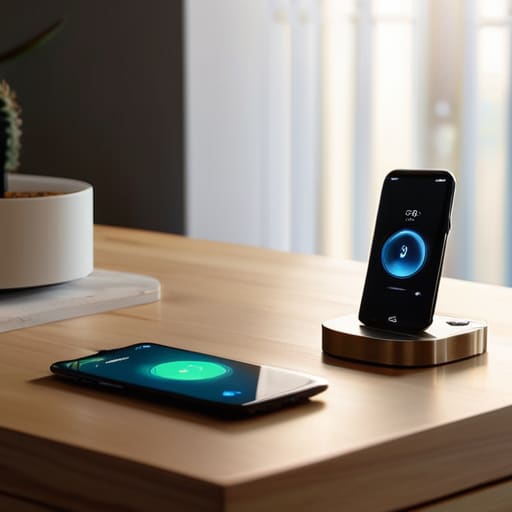
Here’s the thing: nothing kills the “smart home high” faster than opening one app to turn off the lights and realizing you need a different app for the thermostat, the vacuum, and your freaking toaster. It’s chaotic. To avoid this digital clutter, you really need to nail your smart home ecosystem compatibility before you buy a single bulb. Think of it like choosing a language; if your devices aren’t speaking the same one, they’re just going to ignore each other. Decide early if you’re a “Hey Siri” person, an Alexa devotee, or a Google Home enthusiast, and try to keep your new gadgets within that same family.
If you’re feeling a bit overwhelmed by the options, don’t feel pressured to buy everything at once. I usually start with a single room to test the waters. If you want to scale up later, look into the best smart home hubs 2024 to act as the “brain” that ties everything together. A good hub ensures that your devices actually talk to each other instead of acting like isolated islands. It’s all about building a system that works for you, rather than you working for your tech.
Choosing the Best Smart Home Hubs 2024 to Save Your Sanity
Here’s the deal: if you try to manage twenty different apps for twenty different gadgets, you’re going to end up more stressed than when you started. This is where picking the right “brain” for your house comes in. When I was first starting out, I thought I could just buy whatever was on sale, but I quickly realized that finding the best smart home hubs 2024 has to be about more than just a low price tag; it’s about how well they play with others. You want a hub that acts as a central conductor, not a chaotic middleman.
If you’re leaning toward a specific vibe, think about your current setup. If your life already revolves around Alexa or Google, sticking to those ecosystems makes your voice assistant integration guide much easier to follow. However, if you’re someone like me who loves a bit of tech-heavy customization, looking into something like Home Assistant might be worth the learning curve. Just remember: the goal is to have a system that works quietly in the background so you can actually stop managing your house and start living in it.
Three things I wish I knew before my first smart device meltdown
- Don’t go overboard on day one. I see people buying every smart bulb and sensor available, and honestly? It’s a recipe for a headache. Start with one or two things that actually solve a daily annoyance—like a smart plug for that lamp you always forget to turn off—and build from there once you actually get used to the tech.
- Check your Wi-Fi strength before you buy anything. There is nothing more soul-crushing than spending forty bucks on a smart plug only to realize it won’t connect because it’s too far from your router. If your signal is weak in the kitchen or the bedroom, you’re just buying expensive paperweights.
- Prioritize “invisible” tech over “flashy” tech. A smart light strip that looks cool for a week is fun, but a smart thermostat or a leak sensor that actually prevents a massive plumbing bill? That’s the real adulting win. Invest in the stuff that works in the background so you can actually forget it’s even there.
The TL;DR on Smart Living
Don’t try to automate your entire life in one weekend; start with one annoying problem—like lights you always forget to turn off—and build from there so you don’t end up with a house that’s more stressful than a broken Wi-Fi router.
Prioritize compatibility over cool gadgets; it doesn’t matter how sleek a smart plug looks if it won’t talk to the hub you already spent way too much money on.
Don't Let the Tech Win
Look, setting up a smart home isn’t about turning your apartment into a sci-fi movie set; it’s about making sure your life actually runs smoother. We’ve covered the essentials—picking a compatible ecosystem so your devices don’t start a civil war, selecting a hub that won’t give you a headache, and layering in automation that actually serves a purpose. Just remember to start small. You don’t need to automate your entire existence by Tuesday. Focus on the high-impact stuff first, like lighting or your thermostat, and let the rest of your smart setup evolve as you get comfortable with the rhythm.
At the end of the day, the goal is to reclaim your mental bandwidth. If a smart plug saves you thirty seconds of fumbling in the dark or a routine means you never forget to lock the front door again, then it’s doing its job. Don’t get caught up in the “perfect” setup or the latest expensive gadget craze. Build a home that works for you, not a home that requires a manual to operate. You’ve got this.
Frequently Asked Questions
Is it actually going to be a privacy nightmare having all these devices connected to my Wi-Fi?
Look, I get it. The idea of a dozen little eavesdropping gadgets in your living room is enough to make anyone want to throw their router out the window. It’s not a total nightmare, but you can’t be reckless. Stick to brands with decent reputations, use two-factor authentication (seriously, just do it), and set up a “guest” Wi-Fi network specifically for your smart devices. It keeps your main stuff isolated and your data a lot safer.
What happens to my "smart" house if my internet goes down or the power cuts out?
The short answer? Most of your “smart” stuff will revert to being “dumb” stuff. If the Wi-Fi dies, your app won’t work, but your physical light switches and manual buttons should still function. If the power cuts out entirely, everything goes dark. My best advice? Invest in devices that support local control (like Matter or Zigbee) so they don’t need the cloud to function, and always keep those old-school manual overrides in mind.