
Ever had that mini heart attack when your laptop decides to die right before a deadline, and suddenly your entire life—your spreadsheets, your photos, your sanity—is trapped in a piece of hardware that won’t turn on? I used to live in constant fear of that exact moment, hoarding files on external hard drives like they were precious heirlooms. But honestly, the way tech gurus explain what is cloud computing makes it sound like some mystical, high-level wizardry reserved for Silicon Valley giants. It doesn’t have to be that complicated, and it definitely shouldn’t feel like you need a PhD just to back up your tax returns.
I’m not here to sell you on some expensive, over-hyped enterprise software suite. Instead, I’m going to break down the actual utility of the cloud so you can stop treating your digital life like a ticking time bomb. We’re going to strip away the jargon and focus on how you can use these tools to reclaim your mental bandwidth and keep your files safe without needing a degree in computer science.
Ditching the Hardware Headache With on Demand Computing Resources
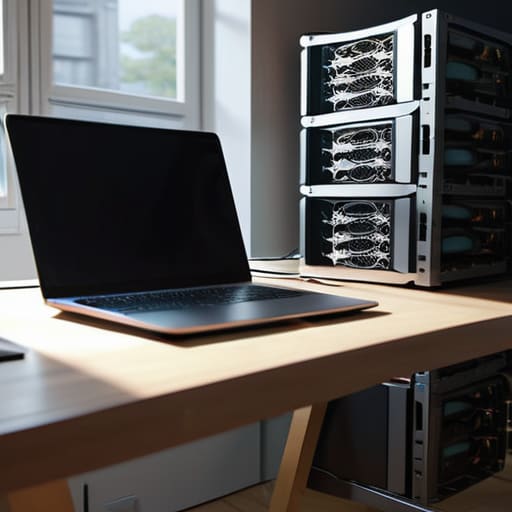
Honestly, the biggest vibe shift with this tech is moving away from the “buy it all upfront” mentality. In the old days (or even just a few years ago), if you wanted to run a serious project, you had to drop a small fortune on physical servers that took up way too much space and made your room feel like a data center. Now, we use on-demand computing resources, which is basically like switching from owning a massive, expensive lawnmower to just using a subscription service whenever you actually need to mow the grass. You only pay for what you use, and you can scale up or down without the physical clutter.
This flexibility is one of the core benefits of cloud infrastructure that saves my sanity. Instead of stressing over whether your hardware can handle a sudden spike in traffic or a heavy workload, you just toggle a setting. It’s the digital equivalent of having a pantry that magically refills itself exactly when you’re mid-recipe, rather than having to do a frantic grocery run every time you realize you’re out of eggs. It turns tech management from a heavy lifting job into a simple click-and-go process.
Mastering Cloud Storage and Networking Basics Without the Stress
Think of cloud storage and networking basics as your digital pantry and its delivery system. Instead of stuffing every single photo and document onto a physical hard drive that could easily get crushed in a move or lost under a pile of laundry, you’re essentially renting space in a massive, secure digital warehouse. The real magic happens when you realize you can access those files from your phone at a coffee shop just as easily as from your laptop at home. It’s about moving away from the “I hope I backed that up” anxiety and moving toward a system where your data is just always there when you need it.
When you start digging deeper, you’ll run into the different cloud service models (SaaS, PaaS, and IaaS), which sounds way more intimidating than it actually is. Honestly, it’s just a spectrum of how much work you want to do yourself. Using SaaS is like ordering takeout—you just show up and eat (think Google Drive). Using IaaS is more like buying the raw ingredients and cooking the meal yourself. Understanding this distinction is one of the biggest benefits of cloud infrastructure because it lets you choose exactly how much control you need versus how much mental energy you want to spend managing the backend.
Three Ways to Stop Treating Your Data Like a High-Maintenance Houseplant
- Stop playing Tetris with your hard drive. Instead of constantly deleting precious photos to make room for a single software update, use the cloud as your digital overflow bin. It’s basically an infinite junk drawer that actually stays organized.
- Treat your files like a nomad, not a resident. The best part about cloud computing is that your “office” is wherever your laptop is. You aren’t tethered to a specific desktop in your apartment; if you’ve got Wi-Fi, you’ve got your entire workflow.
- Automate your “oh crap” moments. We’ve all had that heart-stopping second where we think we lost a document. Setting up cloud backups is like having a tiny, invisible assistant who saves your work every five minutes so you don’t have to live in constant fear of a hardware crash.
The TL;DR on Cloud Computing
Stop thinking of the cloud as some mystical, untouchable thing in the sky and start seeing it as a way to rent the tech power you need exactly when you need it, without the massive upfront cost of buying physical gear.
View cloud computing as your digital safety net—it’s about offloading the heavy lifting of storage and maintenance so you can focus on your actual work instead of playing IT support for your own devices.
The Bottom Line on Cloud Computing
Look, I know “the cloud” sounds like some mystical, untouchable concept, but we’ve already broken it down: it’s really just about outsourcing your digital heavy lifting. From ditching the physical hardware headache to managing your files and networks without needing a PhD in IT, cloud computing is essentially just a way to make your digital life more scalable and efficient. Instead of spending your precious weekend troubleshooting a crashing hard drive or worrying about physical server space, you’re letting professional infrastructure do the grunt work for you.
At the end of the day, the goal isn’t to turn you into a tech expert; it’s to give you your time back. Whether you’re a freelancer managing massive files or just someone trying to keep their digital life from becoming a total disaster, embracing the cloud is a major win for your sanity. Stop treating your tech like a constant crisis to be managed and start using these tools to work smarter, not harder. You’ve got this.
Frequently Asked Questions
If everything is "in the cloud," how do I actually make sure my data won't just vanish if my internet goes down?
Look, I get it. The idea of your entire digital life floating in some invisible ether feels sketchy when your Wi-Fi decides to take a nap. The trick is to stop treating the cloud like your only storage unit. I always follow the 3-2-1 rule: keep three copies of your important stuff, on two different types of media (like a physical hard drive and the cloud), with one copy off-site. Don’t let a router glitch become a crisis.
Is moving to the cloud actually going to save me money, or am I just trading one subscription headache for another?
Honestly? It’s a bit of both, but here’s the reality check: it saves money if you stop paying for “just in case” capacity. If you’re buying expensive hardware that sits idle 80% of the time, you’re bleeding cash. Moving to the cloud turns that massive upfront cost into a manageable utility bill. Just watch your settings—if you leave everything running on autopilot, those “small” subscriptions can definitely snowball into a monthly crisis.