I was sitting at my desk last Tuesday, squinting at a spreadsheet until my eyes felt like they were literally stinging with sand, and I realized I had hit a wall. We’ve all been there—that mid-afternoon haze where you’re staring at a glowing rectangle, wondering if your vision is permanently fried. Most “experts” will try to sell you $300 blue-light glasses or some high-tech ergonomic setup that costs more than my monthly rent, but honestly? That’s just expensive noise. If you’re actually looking for how to reduce eye strain from screens without draining your bank account, you don’t need a gadget; you need a better system.
I’m not here to give you a lecture on medical science; I’m here to share the small, actually repeatable hacks that have saved my sanity during long freelance grinds. We’re going to skip the fluff and focus on the low-effort, high-impact tweaks—from lighting adjustments to the 20-20-20 rule—that actually work in a real, messy life. Consider this your no-nonsense guide to protecting your sight so you can stop feeling like a digital zombie by 3 PM.
Mastering the 20 20 20 Rule for Eye Health and Sanity
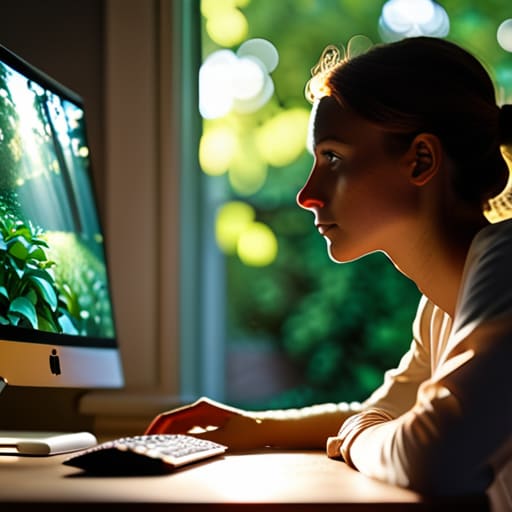
If you’re anything like me, you probably get so deep into a flow state—or just a scrolling spiral—that you forget your eyes even exist until they start throbbing. This is where the 20-20-20 rule for eye health becomes your absolute best friend. The concept is dead simple: every 20 minutes, look at something at least 20 feet away for at least 20 seconds. It sounds almost too basic to work, but it’s basically a forced reset button for your ocular muscles that have been locked in a squinting battle with your monitor all morning.
I started setting a silent timer on my phone to remind me, and honestly, it’s been a game-changer for avoiding that mid-afternoon brain fog. It’s not just about the distance, though; it’s about giving your eyes a moment to breathe. By breaking that constant focal tension, you’re actively preventing dry eyes from digital devices and helping to stave off that heavy, “sand in my eyes” feeling we all know too well. Think of it as a tiny, micro-vacation for your vision that keeps you from feeling like a total zombie by 3 PM.
Fixing Your Ergonomic Workstation Setup for Daily Peace
If you’re currently hunched over your laptop like a question mark, stop. Seriously. I spent most of my early freelance years thinking a pile of pillows was a valid substitute for a desk, but that’s a fast track to a tension headache. A proper ergonomic workstation setup is less about buying a thousand-dollar chair and more about geometry. Your eyes should be level with the top third of your monitor so you aren’t constantly tilting your chin up or down. If you’re on a laptop, grab a cheap stand (or even a sturdy stack of coffee table books) and a separate keyboard. It feels weird for ten minutes, but your neck will thank you for the rest of the day.
While you’re tweaking your physical space, don’t ignore the light hitting your face. One of the easiest ways to combat computer vision syndrome symptoms is simply adjusting your screen brightness and contrast so it matches the ambient light in your room. You don’t want your monitor to look like a glowing lightbox in a dark room, nor do you want to be squinting at a dim screen in a bright one. Aim for a balanced, soft glow. It sounds like a small tweak, but it makes a massive difference in how much your eyes ache by 4:00 PM.
Low-Effort Tweaks to Stop the Screen-Induced Headache
- Stop treating your brightness like a spotlight. If your screen is glowing like a neon sign in a dark room, you’re basically begging for a migraine. Match your monitor’s brightness to the light in your actual room—it should feel like a natural extension of your space, not a glaring distraction.
- Hack your lighting to kill the glare. If you’ve ever sat there squinting because your window or a lamp is bouncing light right off your screen, you’re doing way too much work for your eyes. Reposition your desk or grab a cheap matte screen protector to stop that annoying reflection from wrecking your focus.
- Lean into “Night Mode” even when it’s not midnight. I know, the yellow tint can feel a little weird at first, but turning on your device’s blue light filter (or using an app like f.lux) is a total game changer. It softens the harshness of the screen and stops that “fried brain” feeling when you’re trying to wind down.
The TL;DR on Saving Your Sight
Stop treating your eyes like an afterthought; implement the 20-20-20 rule and fix your desk setup to prevent that end-of-day burnout.
Small, intentional tweaks to your environment and habits are way more effective than trying to “fix” your vision once the headaches have already started.
Protecting Your Vision (Without Losing Your Mind)
Look, I know it feels like we’re all just destined to have crusty, tired eyes by 3:00 PM, but it doesn’t have to be that way. Between hitting the 20-20-20 rule religiously and actually taking five minutes to fix your desk setup so you aren’t hunched over like a gargoyle, you’re already winning. It’s not about achieving some perfect, Pinterest-worthy workspace; it’s just about making small, intentional shifts that stop your vision from feeling like it’s vibrating by the end of the workday.
At the end of the day, your eyes are the tools you use to navigate your entire life, so stop treating them like an afterthought. You don’t need a massive lifestyle overhaul to feel better; you just need to stop the burnout before it starts. Adulting is hard enough without adding a massive headache to the mix. Take a breath, look away from the blue light for a second, and give yourself permission to step back from the screen. You’ve got this.
Frequently Asked Questions
Should I actually bother with blue light glasses, or is it just a marketing scam?
Honestly? It’s a bit of both. If you’re buying $100 designer frames thinking they’re a magic shield, you’re probably getting scammed. Most research suggests the real culprit is just how we use screens—the staring, the brightness, the posture. However, if a pair of cheap blue light blockers helps you feel less “wired” before bed, go for it. But don’t expect them to fix a bad setup. Save your money for better lighting instead.
Is there a way to fix my screen glare without having to move my entire desk setup?
Ugh, the “glare struggle” is so real, especially if your desk is stuck in a weird corner. Honestly, you don’t need a full office redesign to fix it. First, grab a matte screen protector—it’s a cheap DIY fix that kills reflections instantly. If that’s too much effort, just try a monitor light bar; they illuminate your workspace without bouncing light off the glass. It’s a total game-changer for your eyes.

