
Ever had that moment where you’re sitting in your favorite chair, trying to look like a professional powerhouse, but you’re actually just praying your neighbor doesn’t start their leaf blower mid-sentence? I’ve been there, staring at my own reflection in a Zoom window and feeling like a total fraud because my lighting looked like a basement interrogation. Most of the advice you find online about remote job interview tips feels like it was written for people with dedicated home offices and studio-grade lighting, which—let’s be real—is not my reality.
I’m not here to tell you to buy a thousand-dollar ring light or pretend you live in a minimalist showroom. Instead, I want to give you the actual toolkit I’ve built while navigating the freelance grind from a tiny apartment. We’re going to talk about the low-budget, high-impact hacks that keep you looking polished and feeling composed, so you can stop fighting your tech and start actually landing the job.
Mastering Your Remote Interview Technical Setup Without the Stress
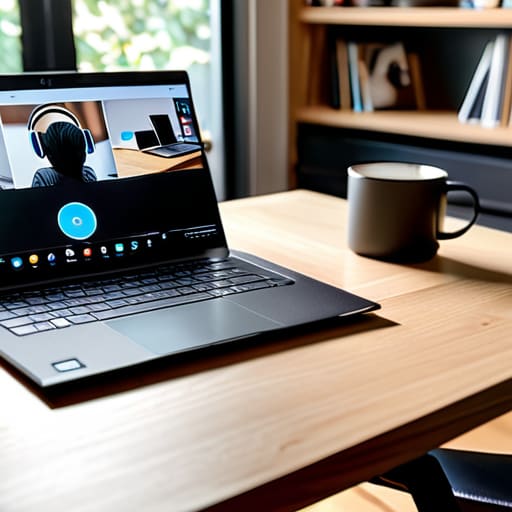
Look, we’ve all been there: you’re mid-sentence, feeling like a total boss, and then your Wi-Fi decides to take a nap or your mic starts sounding like you’re underwater. To avoid that spiral, your remote interview technical setup needs to be foolproof. I always do a “dry run” about twenty minutes before the call. I’ll jump into a dummy meeting just to check my audio levels and make sure my laptop is actually plugged into a charger—nothing kills my confidence faster than a “10% battery remaining” pop-up right when I’m making a key point.
Next, let’s talk about your environment. You don’t need a professional studio, but you do need a clean, intentional space. Aim for a simple professional background for video calls—think a tidy bookshelf or just a plain wall rather than a pile of laundry you haven’t folded yet. Also, please, please check your lighting. If you’re sitting with a bright window behind you, you’ll just look like a mysterious silhouette. Position yourself so the light hits your face directly; it makes you look much more engaged and helps you maintain that crucial sense of connection.
Perfecting Lighting for Virtual Meetings to Look Your Best
Look, we’ve all been there: you join the call and realize you look like a witness in a true crime documentary because you’re sitting in a dark room with a single, harsh lamp hitting you from the side. Bad lighting for virtual meetings is an instant mood killer. The golden rule? Face your light source. If you can, position yourself directly in front of a window. Natural light is basically a free beauty filter that makes you look awake and approachable. If it’s nighttime, don’t just rely on your ceiling light—grab a desk lamp and place it behind your laptop so the glow hits your face evenly.
If you’re dealing with a glare or a shadow that makes you look like you haven’t slept since 2019, try the “soft light” trick. Drape a thin, white t-shirt or some parchment paper over a lamp to diffuse the beam. It sounds a little chaotic, but it works wonders for smoothing out harsh shadows. Getting your lighting right isn’t just about vanity; it actually helps with eye contact in video interviews because the interviewer can actually see your expressions clearly. When you aren’t squinting or fighting a silhouette, you can actually focus on the conversation instead of your own shadow.
The "Vibe Check" Essentials: Beyond the Camera
- Curate your background so it’s clean but doesn’t look like a sterile hospital room. I’m a huge fan of the “minimalist corner” approach—just clear off a small section of your desk or shelf, maybe add a single plant or a stack of books, and call it a day. You want them looking at you, not the pile of laundry judging you from the corner of the frame.
- Treat your audio like it’s a high-stakes presentation. Even if you have a fancy headset, do a quick sound check in a quiet room first. There is nothing more awkward than a recruiter asking, “Can you repeat that?” because your neighbor decided to start mowing their lawn right as you were explaining your biggest career win.
- Master the art of the “digital eye contact” hack. It feels super weird at first, but try to look directly into the camera lens when you’re speaking rather than staring at your own face on the screen. It makes the interviewer feel like you’re actually connecting with them, which goes a long way in building that much-needed rapport.
The TL;DR on Nailing Your Virtual Interview
Prioritize your tech and lighting before the call starts so you aren’t scrambling to fix a glitchy mic or a dark screen while trying to sound professional.
Focus on creating a space that lets your personality shine through without the background chaos distracting from your actual answers.
You've Got This
At the end of the day, nailing a remote interview is really just about managing the variables you actually can control. We’ve covered how to prep your tech so you aren’t fighting a glitchy mic, and how to tweak your lighting so you don’t look like you’re filming a true crime documentary in a dark basement. When you handle the logistical heavy lifting early on, you stop worrying about your hardware and start focusing on what actually matters: showing them who you are.
Just remember, even if your internet hiccups or your cat decides to walk across your keyboard, it’s not the end of the world. Most recruiters are just humans on the other side of a screen who have also dealt with awkward Zoom freezes. Don’t let the perfectionism paralyze you. Go into that call with a steady breath and the confidence that you are prepared, capable, and ready to land that role. You’re doing better than you think.
Frequently Asked Questions
What do I do if my internet suddenly cuts out halfway through the interview?
First, don’t spiral. If the screen freezes, immediately switch to your phone’s data and call or message your interviewer. Most companies use Zoom or Teams, so you can usually rejoin via the mobile app. If you can’t get back online quickly, send a quick email from your phone to explain the glitch. It’s not a fail—it’s just a tech hiccup. Just stay calm and keep the communication moving.
Is it weird if I dress up fully, or should I just stick to a nice top?
Honestly? It’s not weird at all. In fact, I’m team “full fit” all the way. While the “nice top and pajama pants” combo is tempting, dressing fully helps you switch into professional mode mentally. Plus, if you suddenly have to stand up to grab a charger or close a door, you won’t have that awkward “wait, I’m in sweats” panic. Dress for the job you want—it’s a tiny confidence boost that actually works.

